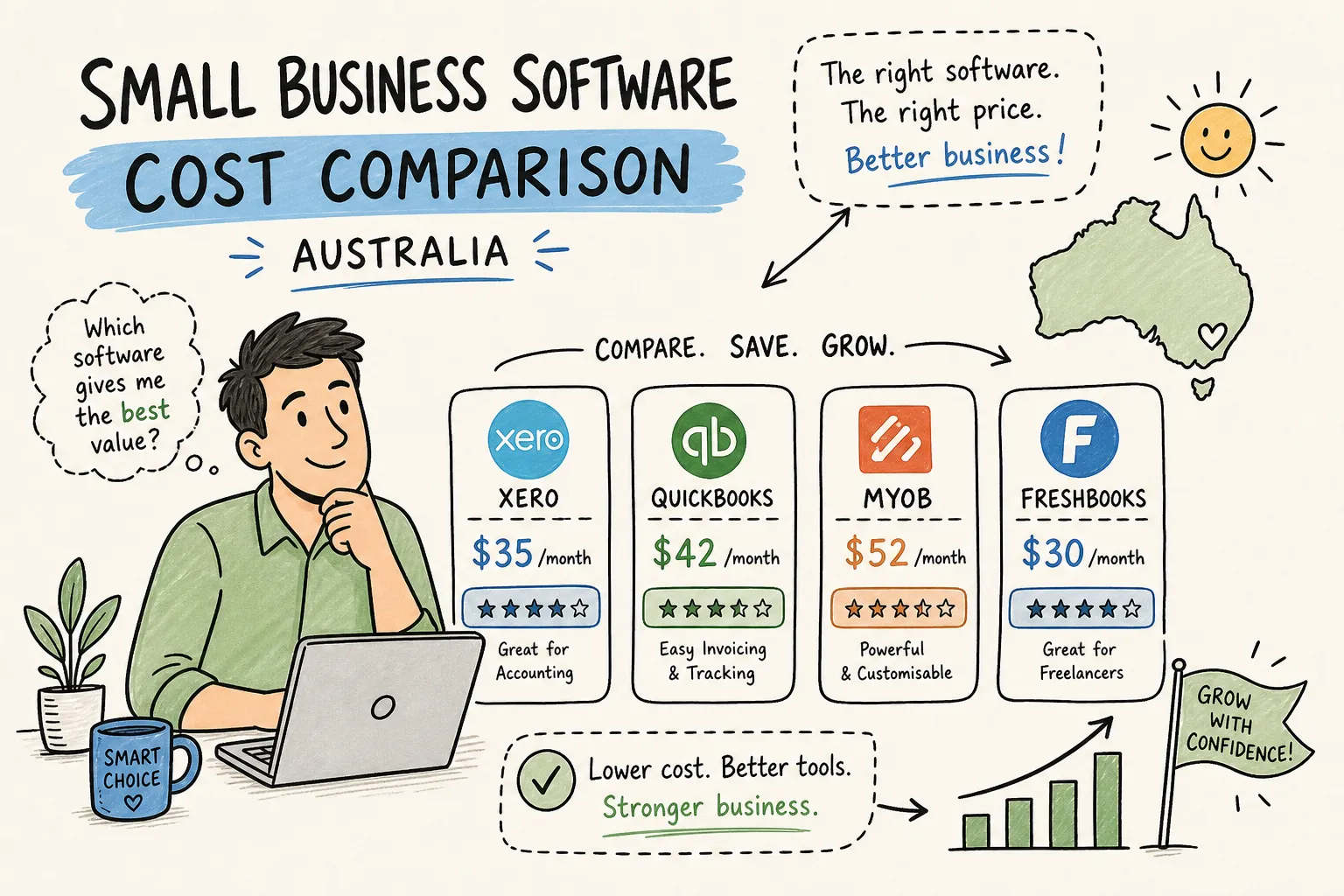
Best Small Business Software in Australia: A Cost Comparison Guide
Choosing small business software in Australia means more than picking an accounting tool and calling it done. Beneath Xero sits a CRM subscription, a scheduling app, a team comms tool, and maybe a project tracker. Add those up and you’re looking at $153 to $275 a month for a sole trader, and that’s before you’ve hired anyone or bought a single thing.
The team at NameTheCost.com ran independent cost breakdowns across the most common SaaS tools used by Australian small businesses, and the numbers confirmed what most founders quietly suspect. The stack grows, the costs compound, and most businesses are paying for tools they don’t fully use. A five-person service business can hit $621 to $844 per month. A ten-person team often crosses $2,300 per month in subscriptions alone.
This guide covers the four core software categories every small business needs: accounting, CRM, scheduling, and communication. You’ll get real 2026 pricing, honest context for ATO compliance requirements, and a clear view of which free alternatives actually hold up. By the end, you’ll know which two or three tools to shortlist, and which ones to skip.
What your software stack is actually costing you each month
Small business owners tend to evaluate software one tool at a time. Xero gets approved because the entry plan is $37 a month. Then a CRM gets added. Then a scheduling tool. Then Google Workspace for the team. Each decision makes sense in isolation, but the combined monthly bill rarely gets audited.
Software vendors design their pricing to feel affordable at the point of sign-up. The base plan looks fine until you need an extra user, a payroll module, or an integration that only appears on the next tier up. Australian small businesses frequently find themselves on mid-tier or premium plans not because they need all the features, but because one specific feature they do need isn’t available on the starter. Knowing the full pricing ladder before you commit is the difference between budgeting accurately and being surprised every quarter.
The practical rule of thumb from independent research sits at around $150 per employee per month across a full SaaS stack. For a team of five, that’s $750 a month before you’ve paid for physical premises, stock, or staff wages. That number warrants the same scrutiny you’d apply to any other operating expense.
Accounting: best small business software in Australia for ATO compliance
For Australian small businesses, accounting software has a compliance floor. It needs to support BAS lodgement, Single Touch Payroll Phase 2, and automatic bank feeds. This is the baseline for any credible cloud accounting Australia solution. Xero, MYOB, and QuickBooks Online all meet those requirements. Reckon One is also ATO-compliant, though payroll typically requires a separate paid module rather than being bundled into the base plan.
Xero pricing (2026), cloud accounting Australia
Xero’s 2026 pricing, effective from 1 July 2026 and inclusive of GST, starts at $37 per month for the Ignite plan, rising to $78 for Grow and $107 for Comprehensive.
MYOB and Reckon One pricing (2026)
MYOB Business Lite sits at around $35 per month, with Business Pro at $70 per month and AccountRight Plus at $165 per month. Reckon One runs $24 per month for Accounting Plus, with payroll and STP software modules starting at an additional $16 per month. Among these options, Xero holds strong independent satisfaction scores among Australian small businesses, including a 5/5 Canstar Blue rating and an NPS of +41 across accounting platforms.
Where each tool fits best depends on your situation. Xero suits businesses that want a clean interface, a strong accountant ecosystem, and scalable payroll. MYOB has deeper local compliance history and tends to be preferred by established trades and retail operators who’ve used it for years. QuickBooks Online is worth considering if you need strong inventory tracking or an all-in-one setup. Reckon One suits budget-conscious operators who don’t need premium features and are comfortable managing payroll separately through its add-on module. If you’re looking specifically for BAS software for small business that won’t break the budget, Reckon One and Zoho Books are the two most credible options to compare.
CRM and client management without the enterprise price tag
A CRM tends to become necessary earlier than most small business owners expect, typically once follow-ups are being tracked in a spreadsheet and things start slipping through the cracks. Treat that as a heuristic, not a hard rule: the right time depends on your workflow. For Australian small businesses, HubSpot, Zoho CRM, and Pipedrive are the most commonly evaluated options.
HubSpot’s free CRM is genuinely functional for early-stage businesses. It covers contact management, deal tracking, and email follow-up at no monthly cost. The current free plan allows up to two users and 1,000 contacts on new accounts, which is workable for a sole trader or micro business but fills up faster than most people expect. Paid HubSpot plans start climbing steeply once you need marketing automation or larger contact volumes, so treat the free tier as a starting point rather than a long-term home.
Zoho CRM and Bigin, Zoho’s lightweight CRM product, both offer free tiers suited to very small contact lists. For sole traders managing a handful of ongoing client relationships, these free options provide enough structure to replace a spreadsheet without adding a monthly cost. The key limitation across all free CRM tiers is user count: most cap you at one or two users, which works fine until you bring on staff or a virtual assistant. At that point, the paid tier becomes unavoidable.
Scheduling and communication tools most small businesses overlook
If your business involves appointments, consultations, or bookings, a scheduling tool pays for itself quickly in time saved on back-and-forth emails. Square Appointments and Calendly are two well-documented options for Australian service businesses. Square Appointments integrates directly with its POS system, making it a strong fit for businesses that also process in-person payments. Calendly works well for professional services and consultants who need a clean booking flow without POS capability. Entry-level plans vary across scheduling tools, Square Appointments’ paid plans run around $40 per location per month, while Calendly offers a free tier for basic single-user bookings. Check each vendor’s current Australian pricing before committing.
For teams of three or more, communication tools become essential for keeping work out of email threads. Google Workspace bundles email, calendar, video calls, and cloud storage into one cost, check Google’s Australian pricing page for current per-user rates, as these are updated periodically. For most Australian small businesses with three to ten staff, it covers the communication layer without needing a separate chat tool.
Slack’s free plan is usable for very small teams but limits message history. That becomes a genuine problem once you need to reference older conversations, check Slack’s current plan documentation for the specific retention limits that apply. For teams that rely on searchable conversation history, a paid plan or an alternative tool is worth factoring into the budget.
Free and low-cost alternatives that actually work
Sole traders and micro businesses with simple books have more free options than most people realise. Zoho Books offers a completely free plan for businesses with annual revenue under $50,000 AUD, including GST support and BAS preparation. It’s the strongest free bookkeeping software for small business operators who stay within that revenue threshold. Once you cross that revenue cap, you’ll need to move to a paid tier, but for early-stage sole traders it’s a legitimate starting point.
Wave Accounting is also commonly cited as a free option, though its receipt scanning feature now costs $8 per month, which reduces the genuinely free scope. For payroll specifically, FreePay is designed for Australian businesses with three or fewer employees and provides STP Phase 2 compliance at no monthly cost. It removes the need to pay for a payroll module on top of existing accounting software, which is a real saving for sole traders who pay themselves or manage a small number of staff.
Manager.io is worth a mention for operators comfortable with offline software. It’s a fully free desktop accounting option that covers invoicing, reporting, and basic accounts without requiring cloud access or a subscription. It won’t suit businesses that need to access their books from multiple devices or share access with a remote accountant, but for a sole trader who works from one machine, it’s a functional zero-cost option.
How to shortlist the right small business software in Australia before you pay a cent
The right stack depends on what your business actually does, not on which tools are most popular. Different business types need very different combinations. A sole trader consultant likely needs accounting software and possibly a scheduling tool, but probably not a CRM or a team communication platform. Retail businesses with staff typically require POS-integrated software, payroll, and potentially inventory management. Service-based businesses with recurring clients usually need a CRM and an invoicing tool more than they need project management software. Being clear about your actual workflow before signing up to anything is the fastest way to avoid paying for features you never use.
Many vendors offer 14- to 30-day free trials, enough time to test core workflows before committing to a plan. Check each vendor’s current trial terms, as these vary. Annual billing often offers a material discount over monthly billing, but only commit annually once you’ve confirmed the tool fits your actual process. Too many small businesses lock in annual subscriptions during a trial high, only to realise three months later they’re using 20 percent of the features.
The bottom line on small business software in Australia
The right software for small businesses in Australia isn’t necessarily the most popular option or the cheapest one. It’s the combination that covers your compliance requirements, fits the size of your team, and doesn’t charge you for features you’ll never use.
For accounting and bookkeeping tools for sole traders, Xero, MYOB, and QuickBooks Online are the safest choices for ATO compliance, with Reckon One and Zoho Books as credible lower-cost alternatives. For CRM and scheduling, start with free tiers and upgrade only when you genuinely outgrow them. For communication, Google Workspace covers most small teams without needing additional tools.
Before finalising your stack, run your planned subscriptions through NameTheCost.com’s independent SaaS cost breakdowns to benchmark what you’re signing up for against realistic Australian pricing data. The individual tool costs are rarely the problem. It’s the compounding total that catches most businesses off guard. That’s what NameTheCost.com is there for.